
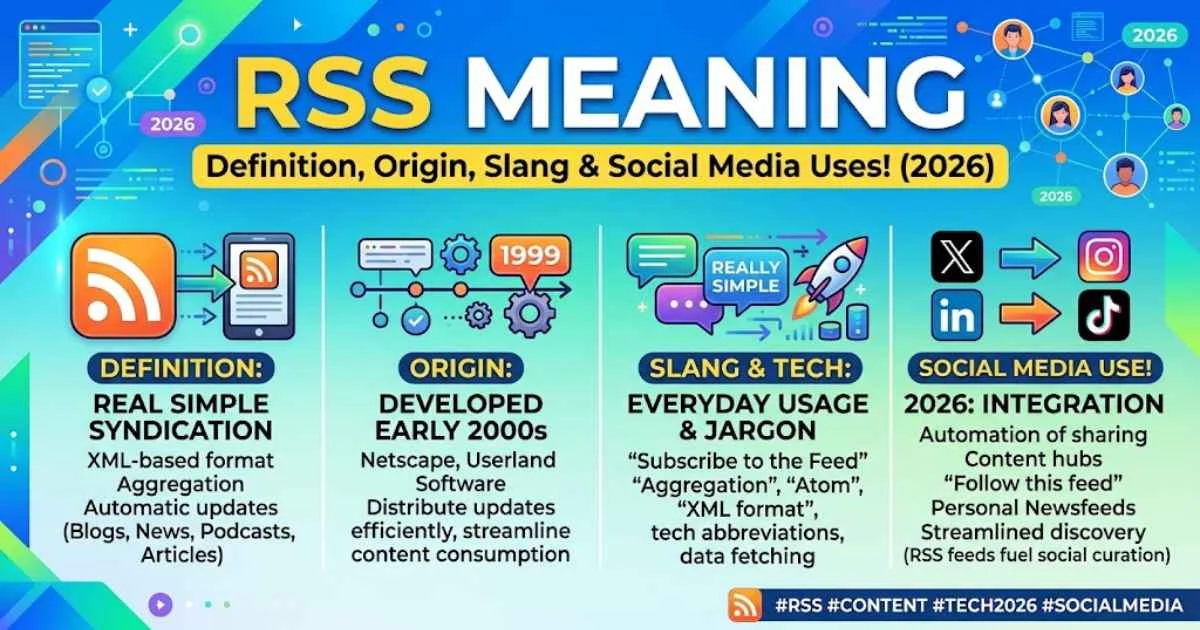
Have you ever wanted to keep up with your favorite websites without checking each one every day? That’s where RSS can help. RSS, often called Really Simple Syndication, lets you follow updates from blogs, news websites, podcasts, and other online sources in one place.
Think about how you use WhatsApp for messages, Facebook and Instagram for posts, TikTok and YouTube for videos, Snapchat for snaps, X (formerly Twitter) for updates, and Telegram for channels. These platforms show you new content regularly, but RSS works differently. It lets you choose the websites and publishers you want to follow through an RSS feed or RSS reader, rather than depending on social media algorithms.
RSS can be useful for following websites, discovering content, reading news, tracking blogs, following podcasts, and organizing online information. But what does RSS really mean, how does an RSS feed work, and why is it still useful today?
In this guide, you’ll learn what RSS means, how to pronounce it, where it came from, how it is used on different platforms and in different regions, common mistakes people make, and other important things you should know about RSS.
Stands for What
RSS most commonly stands for Really Simple Syndication. It is a web technology that lets you subscribe to and receive updates from websites in a standardized format. Instead of visiting every website to check for new content, you can use an RSS reader to collect new articles, blog posts, podcasts, and other updates in one place.
You may also see RSS described as Rich Site Summary, an earlier expansion of the acronym. The exact wording can vary by context, but Really Simple Syndication is the modern expansion most people recognize.
For example:
“I added the tech blog to my RSS reader.”
Here, RSS has nothing to do with slang. It refers to a content syndication system.
Quick tip: If you see RSS alongside terms such as feed, reader, XML, blog, podcast, subscribe, or website updates, it almost certainly refers to Really Simple Syndication.
That basic meaning becomes even clearer when you look at how people use RSS in online conversations.
Meaning in Text
In text messages, online discussions, and digital communication, RSS usually means Really Simple Syndication rather than a modern slang expression.
You might see it in messages such as:
- “Does this site have an RSS feed?”
- “Send me the RSS URL.”
- “I use RSS to follow my favorite blogs.”
- “The podcast has an RSS feed.”
- “My reader stopped updating the RSS feed.”
Unlike abbreviations such as LOL, BRB, or IDK, RSS is generally a technical acronym. People typically use it when discussing websites, blogs, podcasts, news feeds, content management systems, or automation.
Read More: “DTF Meaning”: What It Really Means in Text and Slang!
How to identify the meaning
Look at the surrounding words:
| Context | Likely Meaning |
| Website + feed | Really Simple Syndication |
| Blog + updates | RSS feed |
| Podcast + subscription | RSS feed |
| News + reader | RSS |
| XML + publishing | RSS technology |
| Informal slang conversation | Usually not a slang term |
So, if someone sends “RSS?” without context, you need to check the surrounding conversation before assuming what they mean.
Meaning & Definition
RSS is a standardized web feed format that allows users and applications to receive regularly updated online content.
An RSS feed can contain information such as:
- Article titles
- Publication dates
- Descriptions or excerpts
- Links
- Authors
- Podcast episodes
- Blog updates
- News items
The feed is usually published in XML, a structured markup format that computers and RSS readers can process.
Think of RSS as a subscription channel for website content. Instead of repeatedly checking several websites, you subscribe once and let your RSS reader show you new updates.
Old and New Slang Meaning with Comparison of RSS
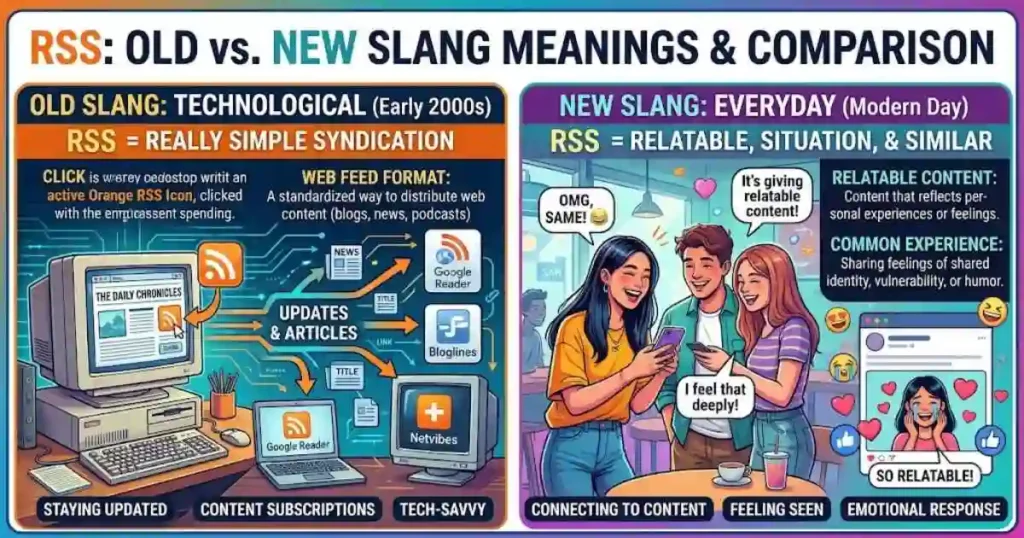
RSS is different from many Internet acronyms because it has not developed a widely accepted mainstream slang meaning comparable to terms such as LOL, WTF, or TBH.
| Feature | Older/Traditional RSS | Modern RSS Usage |
| Main meaning | Rich Site Summary / RSS | Really Simple Syndication / RSS |
| Primary use | Web publishing | News, blogs, podcasts, feeds, automation |
| Slang status | Not generally slang | Still primarily technical |
| Common users | Web publishers and developers | Readers, creators, developers, journalists |
| Typical words nearby | XML, feed, Web | Subscribe, reader, podcast, automation |
| Communication style | Technical | Technical but more consumer-friendly |
Important: Don’t assume RSS is slang simply because it appears as a short abbreviation in a chat. In most cases, it refers to web syndication.
Pronunciation of
RSS is normally pronounced by saying the individual letters: R-S-S.
In conversation, you might hear:
“Does your website have an R-S-S feed?”
The letters are pronounced separately rather than as a single word.
Breakdown
The traditional acronym has been associated with Rich Site Summary, while Really Simple Syndication became the commonly used expansion.
Here’s the basic concept:
R → Really
S → Simple
S → Syndication
The word “syndication” is important because RSS allows content published on one website to be distributed or made available through another application, service, or reader.
For example:
Website → RSS Feed → RSS Reader → You
A website publishes an update, the RSS feed provides structured information about it, and your RSS reader retrieves that information for you.
Other Meanings and Descriptions
Although Really Simple Syndication is the dominant meaning online, RSS can occasionally appear in specialized contexts with different meanings.
The correct interpretation depends on the industry and surrounding text. However, when you encounter RSS on a website, blog, podcast page, news platform, or content-management system, the web feed’s meaning should be your first assumption.
Don’t confuse RSS with:
- RCS — Rich Communication Services
- RSVP — Répondez s’il vous plaît
- RPG — Role-playing game
- RSS feed — A structured stream of website content
- RSS reader — Software used to collect RSS updates
When context is unclear, check whether the conversation mentions feeds, subscriptions, websites, XML, podcasts, or readers.
Read More: “444 Meaning”: What Does This Angel Number Really Mean?
Meanings Across Platforms
RSS keeps essentially the same core meaning across most online platforms, but its practical use changes depending on the platform.
Websites and Blogs
RSS commonly lets readers subscribe to new posts and articles.
Example:
“Subscribe to our RSS feed to receive new blog posts.”
Podcasts
Podcast distribution has historically relied heavily on RSS feeds. Podcast applications can use a feed to discover information about episodes and retrieve new releases.
Example:
“The podcast’s RSS feed contains all the latest episodes.”
News Platforms
RSS can help you follow updates from multiple news sources without opening each site separately.
Example:
“I use RSS to keep track of technology news.”
Social Media
RSS is less visible to ordinary social media users, but third-party tools can sometimes use feeds to monitor or distribute content.
Discord and Group Chats
In communities, RSS may appear when members discuss automated news feeds, bots, blogs, or content alerts.
Example:
“We connected the RSS feed to the server so new posts appear automatically.”
Developer Communities
Developers commonly discuss RSS in relation to APIs, XML, automation, web publishing, feed readers, and content aggregation.
The platform may change, but the core idea remains the same: RSS helps deliver updated content automatically.
Read More: “PMO Meaning”: What Does PMO Mean in Slang?
Psychological / Emotional Meaning
Unlike emotional acronyms such as OMG or SMH, RSS generally does not express a specific emotion.
Its emotional meaning depends more on the situation in which someone uses it.
Positive
RSS can be associated with convenience, organization, control, and efficiency.
For example:
“RSS lets me follow 50 websites without constantly checking them.”
The positive feeling comes from having a centralized content stream.
Neutral
Most RSS references are completely neutral.
For example:
“What’s the RSS feed for this website?”
Here, the person is simply asking for technical information.
Negative
RSS itself does not have a negative emotional meaning. However, someone may use it negatively when discussing a broken feed, outdated feed, technical problem, or missing updates.
For example:
“The RSS feed hasn’t been updated in weeks.”
The frustration comes from the problem, not from the acronym itself.
Therefore, don’t assign an emotional tone to RSS without examining the surrounding message.
Read More: “SYBAU Meaning”: What Does This Viral Slang Mean?
Grammar and Linguistic Notes
RSS is an acronym or initialism used as a noun. In ordinary writing, you will most often see it written in uppercase letters: RSS.
Common grammatical forms include
- RSS feed
- RSS reader
- RSS subscription
- RSS URL
- RSS aggregator
- RSS channel
- RSS-enabled website
Examples:
“I subscribed to the site’s RSS feed.”
“My RSS reader collects updates from several blogs.”
“The website provides an RSS subscription.”
You generally don’t need to write R.S.S. with periods. The standard digital form is simply RSS.
A useful distinction is that RSS describes the technology or feed format, while an RSS feed refers to the actual stream of structured content.
Similar Terms & Alternatives
If you’re writing about RSS, several related terms may appear alongside it.
| Term | Meaning |
| RSS feed | A structured stream of website updates |
| RSS reader | An application that collects and displays RSS content |
| Feed reader | General term for software that reads feeds |
| News aggregator | Tool that gathers content from multiple sources |
| Web feed | General term for an online content feed |
| Atom feed | Another web-feed format similar to RSS |
| XML feed | A feed represented using XML |
| Content syndication | Distribution of published content through other channels |
| Podcast feed | Feed containing information about podcast episodes |
| Newsletter | Email-based content distribution, unlike RSS |
RSS vs. newsletter: RSS normally lets you read updates through a feed reader, while a newsletter sends updates directly to your email inbox.
RSS vs. social media: RSS gives you a more direct, subscription-based way to follow content, while social platforms usually control how posts are displayed in a feed.
These distinctions can help you understand RSS when you encounter it in technical or everyday online discussions.
Read More: SUS Meaning: Definition, Origin, Slang & Examples
Origin and History of RSS
RSS emerged during the early development of web syndication, when websites needed better ways to distribute frequently updated information.
The technology evolved through several versions and competing implementations. Early work involved ideas around content syndication and metadata, eventually leading to RSS formats used by blogs, news sites, and other frequently updated websites.
The acronym has had more than one expansion over its history, which explains why you may encounter both Rich Site Summary and Really Simple Syndication.
Timeline
| Period | Development |
| Late 1990s | Early web-syndication concepts begin developing. |
| 1999 | RSS-style formats emerge for distributing regularly updated website content. |
| Early 2000s | RSS becomes increasingly popular among blogs and news websites. |
| 2000s | Feed readers and aggregators become common tools for following online content. |
| Mid-to-late 2000s | RSS becomes strongly associated with blogs, podcasts, and online publishing. |
| 2010s | Social media reduces RSS’s visibility among mainstream users, although the technology remains active. |
| 2020s | RSS continues to serve independent publishers, developers, news readers, podcasts, automation tools, and content aggregators. |
RSS has therefore survived multiple changes in online culture. Even though many casual users rarely mention it, the underlying concept remains useful for open content distribution and automated updates.
Usage in Different Contexts
RSS is especially common when you discuss online publishing, content discovery, subscriptions, and automation. The context determines how technical the conversation becomes.
Casual Chats
In casual conversations, you may mention RSS when talking about following blogs, news, podcasts, or websites.
Examples:
“I still use RSS for my favorite blogs.”
“Do you have an RSS feed?”
“I added that website to my feed reader.”
You don’t normally use RSS as an emotional reaction or casual slang expression.
Social Media
RSS can appear in social media discussions when users talk about content automation, independent publishing, website updates, or alternatives to algorithmic feeds.
For example:
“I prefer RSS because I can follow sites without relying on an algorithm.”
Some creators also connect RSS feeds to automation systems that automatically distribute new content to other platforms.
Professional Use
In professional settings, RSS can be relevant to:
- Digital publishing
- Journalism
- Content marketing
- Web development
- Podcast publishing
- Content aggregation
- Automation
- News monitoring
A developer might say:
“The site generates an RSS feed for every category.”
A content manager might say:
“Our RSS feed automatically distributes new articles.”
A journalist might use RSS to monitor updates from multiple publications.
In professional writing, spell out the term when your audience may not know the acronym, then use RSS afterward.
Gaming & Group Chats
RSS isn’t normally gaming slang, but you may encounter it in gaming communities, Discord servers, forums, and group chats when members use automated feeds.
For example:
“The Discord bot posts new gaming-news RSS updates in this channel.”
“Add the game’s official RSS feed to your reader.”
In these situations, RSS refers to the technology behind the automated content updates, not a gaming expression.
The key takeaway is simple: when you see RSS in a gaming or group-chat conversation, look for words such as “feed,” “bot,” “updates,” “website,” “news,” or “automation.” Those clues usually reveal the intended meaning.
Read More: Cap and No Cap Meaning: What Does It Really Mean?
Advantages and Disadvantages
RSS offers a simple way to follow online content without checking multiple websites manually. It gives you more control over what you read, but it also has limitations compared with modern social feeds and email newsletters.
| Advantages of RSS | Disadvantages of RSS |
| Saves time by collecting updates in one place | Some websites no longer provide RSS feeds |
| Reduces algorithmic filtering | Beginners may find RSS readers confusing |
| Privacy-friendly compared with many social platforms | Feed formatting can vary between websites |
| No email overload | Some feeds provide only excerpts |
| Easy content discovery | Broken feeds can stop updates |
| Useful for automation | Requires an RSS reader or compatible application |
| Works well for blogs and podcasts | Less familiar to casual Internet users |
| Centralizes multiple sources | Some modern websites prioritize apps or newsletters |
Overall, RSS works best when you want organized, direct access to content rather than relying on social media algorithms.
Real-Life Examples & Memes
You may encounter RSS in real life whenever someone talks about blogs, news, podcasts, websites, or automated content updates.
Example 1: Following Blogs
Person A: “How do you keep up with all those blogs?”
Person B: “I use an RSS reader. Everything appears in one place.”
Example 2: Podcasting
“The podcast’s RSS feed updated with a new episode this morning.”
Example 3: News Monitoring
“I added several technology websites to my RSS reader so I can monitor new stories.”
Example 4: Developer Conversation
Developer: “Does the site have an RSS endpoint?”
Teammate: “Yes, the feed is generated automatically.”
Meme-Style Idea
A common humorous angle is to contrast RSS users with algorithm-driven social media users:
Social media: “Here’s what the algorithm thinks you should see.”
RSS: “Here’s everything you actually subscribed to.”
Another joke might portray an RSS enthusiast as someone who refuses to let an algorithm decide what they read:
RSS user: “I choose my feeds.”
Algorithm: “But I have recommendations!”
RSS user: “No thanks.”
These jokes work because RSS is often associated with control, simplicity, and old-school Internet culture.
Read More: Janky Meaning: Definition, Origin, Slang & Examples
Cultural or Regional Interpretations
RSS generally keeps the same technical meaning worldwide. However, awareness and usage can differ by region because Internet habits, publishing ecosystems, and technology communities vary.
| Region | Common Interpretation | Typical Context |
| United States | Web-content subscription technology | Blogs, news, podcasts, tech |
| UK | Web feed or content syndication | News, journalism, websites |
| India | Technical feed technology | News, blogs, developers, education |
| Pakistan | Technical web-feed term | Websites, developers, news, blogging |
| Philippines | Content subscription/feed | Blogs, news, digital communities |
| Australia | Web syndication/feed technology | News, media, podcasts, tech |
| New Zealand | Web-feed technology | Publishing, blogs, digital media |
United States & UK
In the United States and UK, RSS is particularly familiar among journalists, developers, bloggers, publishers, tech enthusiasts, and people interested in independent online media.
You might see phrases such as:
- RSS feed
- RSS reader
- Subscribe via RSS
- Podcast RSS
- News feed
In journalism and digital publishing, RSS can provide a convenient way to monitor multiple publications.
Australia
In Australia, RSS has the same core technical meaning and may appear in discussions involving news websites, media publishing, podcasts, blogs, and web development.
For example:
“The news site’s RSS feed makes it easy to follow new stories.”
The regional difference is therefore more about frequency of use and familiarity, not a different definition.
Common Mistakes & Misconceptions
One of the biggest misunderstandings is assuming that RSS is Internet slang. It usually isn’t.
Mistake 1: Treating RSS Like LOL or BRB
RSS is primarily a technical acronym, not a casual reaction or emotional expression.
Mistake 2: Thinking RSS Means Social Media
RSS can deliver content from websites, but it isn’t itself a social media platform.
Mistake 3: Confusing RSS With an RSS Reader
An RSS feed contains or provides structured updates.
An RSS reader is the application that collects and displays those updates.
Mistake 4: Assuming RSS Only Works for Blogs
RSS can also support news, podcasts, video-related content, and other regularly updated online publishing systems.
Mistake 5: Thinking RSS Is Completely Obsolete
RSS became less visible as social platforms and newsletters grew, but the technology remains useful for content aggregation, publishing, podcasts, automation, and personal information management.
Mistake 6: Assuming Every Website Has RSS
Not every modern website provides a publicly visible RSS feed. Some platforms have replaced or hidden traditional feed options.
When you see RSS, check the surrounding context before deciding what it means.
Read More: BTW Meaning in Text: What It Really Means & Examples
The Vibe Behind
RSS has a technical, organized, independent, and somewhat old-school Internet vibe.
It doesn’t normally communicate an emotion like LOL, OMG, or SMH. Instead, it can suggest something about the user’s approach to online information.
🟢 Positive Vibe
RSS can feel:
- Efficient
- Organized
- Independent
- Privacy-conscious
- Focused
- Tech-savvy
Someone who prefers RSS may value control over information consumption.
⚪ Neutral Vibe
In most professional or technical situations, RSS is simply neutral terminology.
“Please add our RSS feed to your reader.”
There is no particular emotional tone.
🔴 Negative Vibe
RSS itself isn’t negative. However, conversations about broken feeds, missing updates, outdated readers, or incompatible formats can create frustration.
So the emotional tone comes from the situation, not the acronym.
Is It Offensive or Friendly?
RSS is neither offensive nor inherently friendly, it is a neutral technical term.
You can safely use it in most technology, publishing, blogging, podcasting, and professional contexts.
For example:
“Do you have an RSS feed?”
is a completely normal question.
However, don’t assume everyone knows what RSS means. If you’re speaking with a nontechnical audience, briefly explain it:
“RSS is a way to subscribe to website updates.”
That makes your communication more accessible without unnecessary jargon.
Read More: IG Meaning: Definition, Origin, Slang & Social Media
How to Respond
If someone mentions RSS, your response should depend on the context.
If They Ask for an RSS Feed
“Sure, I’ll send you the feed URL.”
If You Don’t Know What They Mean
“Do you mean the website’s RSS feed?”
If Someone Says They Use RSS
“Nice! Which RSS reader do you use?”
If Someone Asks Whether Your Website Supports RSS
“Yes, we provide an RSS feed for new posts.”
If You’re Unsure
“Are you referring to Really Simple Syndication?”
This is especially useful because RSS doesn’t function like most conversational slang. You usually respond based on the technical topic being discussed.
Differences from Similar Words
RSS can be confused with several related terms, especially when you’re new to web publishing.
| Term | What It Means | Main Difference |
| RSS | Web syndication technology | Delivers structured content updates |
| RSS Feed | A specific content feed | Contains information about updated content |
| RSS Reader | Feed-reading application | Displays RSS subscriptions |
| Atom | Another web-feed format | Similar purpose, different specification |
| Newsletter | Email content subscription | Delivered primarily through email |
| Social Feed | Stream of social posts | Usually controlled by a social platform |
| News Aggregator | Tool that collects content | May use RSS or other sources |
| API | Interface for software communication | Provides structured data/functionality beyond feeds |
| XML | Markup/data format | RSS feeds are commonly encoded in XML |
The easiest distinction is:
RSS = technology/feed format
RSS reader = tool that reads feeds
Newsletter = email subscription
Social feed = platform-based content stream.
Relevance in Dating & Online Culture
RSS has little direct relevance to dating slang or romantic communication. Unlike abbreviations such as FWB, DTF, HMU, or WYLL, RSS is not normally used to describe relationships, attraction, or dating behavior.
If you see RSS on a dating profile, app, or online community, its meaning will probably depend on the person’s technical interests.
For example:
“Tech nerd. RSS, Linux, and open-source enthusiast.”
Here, RSS signals an interest in technology or independent content consumption, not a dating preference.
In broader online culture, RSS can represent an old-school, independent-web mindset. Some Internet users appreciate RSS because it lets them follow publishers directly instead of depending entirely on recommendation algorithms.
Common Examples of
Here are common ways you’ll see RSS used online:
- “Does this website have an RSS feed?”
- “Subscribe to our RSS feed.”
- “I use an RSS reader for news.”
- “The podcast RSS feed isn’t updating.”
- “Add the blog’s RSS feed to your reader.”
- “Our CMS automatically generates an RSS feed.”
- “I follow dozens of websites through RSS.”
- “The bot pulls updates from an RSS feed.”
- “RSS is useful for content aggregation.”
- “I prefer RSS over algorithmic feeds.”
These examples show that RSS is mainly connected to content distribution, subscriptions, publishing, and automation.
Popularity & Trends
RSS is less visible to the average Internet user than it was during the peak of blogging and feed-reader culture, but it has remained relevant in technical and publishing communities.
Its popularity has shifted rather than completely disappeared.
Earlier Internet Culture
During the growth of blogs and independent websites, RSS became a convenient way to follow many sites from one place.
Social Media Era
As platforms such as social networks became the primary way many people discovered content, RSS became less visible to mainstream users.
Modern Internet
RSS continues to appeal to people who want:
- Direct content subscriptions
- Less algorithmic filtering
- Personalized information feeds
- News aggregation
- Podcast distribution
- Content automation
- Independent publishing
- Information-management workflows
This makes RSS particularly relevant among developers, journalists, bloggers, researchers, productivity enthusiasts, and privacy-conscious Internet users.
Read More: MHM Meaning in Text: What It Really Means in Chat!
When Not to Use
You generally shouldn’t use RSS as casual slang because most people won’t interpret it as an emotional or conversational abbreviation.
Avoid using it when:
- You mean LOL or another reaction acronym.
- You’re trying to express excitement or surprise.
- Your audience has no reason to understand the technical term.
- You actually mean an RSS reader rather than RSS itself.
- You’re referring to a social-media feed and not a web syndication feed.
For professional communication, use the full term when necessary:
“RSS (Really Simple Syndication) allows users to subscribe to website updates.”
After introducing it once, you can simply use RSS.
Quick Context Check
When you’re unsure what RSS means, ask yourself:
Is the conversation about websites, blogs, podcasts, news, XML, feeds, subscriptions, or automation?
If yes, RSS almost certainly refers to Really Simple Syndication.
FAQs About RSS Meaning
1. What does RSS stand for?
RSS commonly stands for Really Simple Syndication, a technology used to distribute regularly updated web content.
2. Is RSS slang?
No. RSS is primarily a technical acronym, not mainstream Internet slang.
3. What is an RSS feed?
An RSS feed is a structured stream of updates from a website, blog, podcast, or other online publisher.
4. What is an RSS reader?
An RSS reader is an app or service that collects updates from multiple RSS feeds in one place.
5. Is RSS still used?
Yes. RSS remains useful for blogs, podcasts, news, publishing, content aggregation, and automation.
6. Is RSS the same as a newsletter?
No. RSS delivers content through a feed, while newsletters typically deliver content through email.
7. Is RSS the same as social media?
No. RSS is a web syndication method, while social media platforms provide their own content feeds and recommendation systems.
8. What does RSS mean in texting?
In most technical conversations, RSS still means Really Simple Syndication. It doesn’t have a widely recognized texting-slang meaning.
9. Is RSS offensive?
No. RSS is a neutral technical term and isn’t inherently offensive.
10. Why do people use RSS?
People use RSS to follow multiple content sources, reduce manual website checking, organize information, and avoid relying entirely on algorithmic feeds.
Final Thoughts
RSS means Really Simple Syndication. It helps you follow updates from websites, blogs, news sites, and podcasts in one place. RSS is not usually slang or an emotional expression.
When you see terms like “RSS feed,” “reader,” “subscription,” or “XML,” the meaning is usually related to web content. In simple words, RSS helps you keep track of the content you want to follow.

Hi, I am Isabel, the Author of Skypunz.com, where I share witty puns, jokes, and fun content to brighten your day.